
In 2025, the SEO landscape has evolved more than ever before. Traditional methods like backlinks and keyword stuffing aren’t enough anymore. With the introduction of Google’s AI Overview (AIO), the rules of the game have changed — but new doors have also opened.
In this blog, I’ll guide you through a step-by-step strategy to rank in Google’s AI Overview, using tools like SEMrush and DeepSeek to create high-ranking content.
Let’s dive in!
What Is Google’s AI Overview (AIO)?
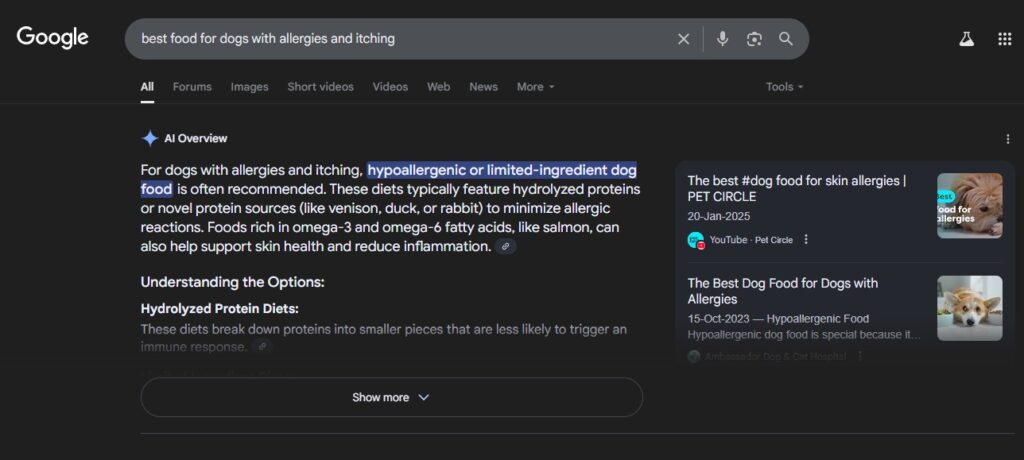
The AI Overview is a new section in Google’s search results that provides users with quick, AI-generated answers based on multiple blog sources — before traditional website links even appear.
For instance, if you search for “what is a morning diet plan,” Google now shows a summarized answer with source links — powered by AI — at the top. This summary is compiled from blogs that are trustworthy and clear in their answers, even if those blogs don’t rank #1.
That’s the real power of the AIO — blogs ranked #7 or #8 can still appear above #1 if they’re AI-optimized.
Why You Should Aim for Google’s AI Overview
- Boosts CTR: Appears above the traditional search results
- Trust Factor: Google features only relevant, high-quality content
- Traffic Spike: Can bring massive organic traffic even for new sites
- No need to rank #1: Appearing in AIO means you’re functionally ranked first
Step-by-Step SEO Strategy to Appear in Google’s AI Overview
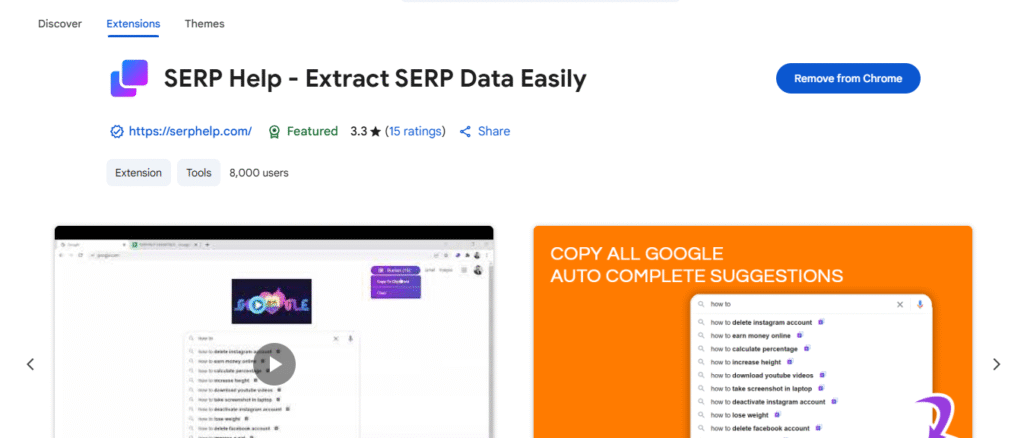
Step 1: Install SERP Help – Extract SERP Data Easily
To begin your SEO research journey, you’ll first need a tool to extract keyword suggestions directly from Google’s search results. Follow these steps:
Add the Extension to Chrome
Click “Add to Chrome” and confirm by clicking “Add Extension”.
Once installed, you’ll see the SERP Help icon in your extensions bar.
Go to the Chrome Web Store
Open your browser and visit: https://chrome.google.com/webstore
Search for:SERP Help - Extract SERP Data Easily
Add the Extension to Chrome
Click “Add to Chrome” and confirm by clicking “Add Extension”.
Once installed, you’ll see the SERP Help icon in your extensions bar.
Step 2: Find Question-Based Keywords
The first step is to discover informational keywords that are frequently searched and easy to rank.
🔍 Use Google Search Suggestions
Start typing your topic in Google and note the autocomplete suggestions. These are real searches by real users.
Example: Type “low carb diet” and note suggestions like:
- low carb diet plan for beginners
- low carb vs keto
- how to start a low carb diet
✨ Use the Asterisk Method
Search like this:how to * best food for dogs
This brings even more variations.
🧠 Add Question Triggers
Include “what,” “why,” “how,” “when,” “best,” or “top” to make it informational.
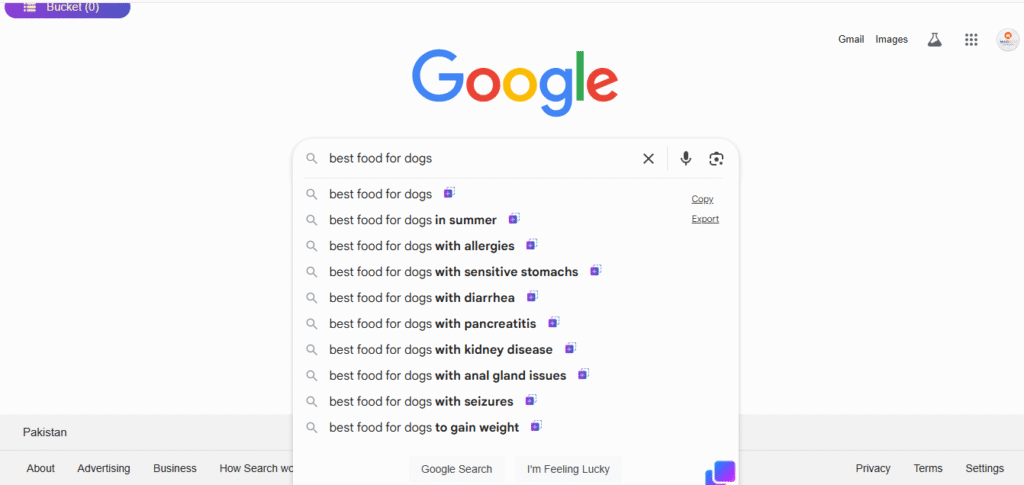
thier is whoing plus sign after keyword search google suggesion click plus icon and add to bucket and then copy form buckt and paset in exle sheet make sheet
Step 3: Collect Keywords Using SERP Help Extension
Once you’ve installed the SERP Help – Extract SERP Data Easily extension, follow these steps to gather high-potential keywords from Google:
- Search Your Main Keyword on Google
For example, search:best food for dogs
You’ll start seeing keyword suggestions directly in the Google search bar and related sections. - Click the ➕ Plus Icon Next to Suggestions
Each suggested keyword will show a ➕ (plus) sign. Click it to add that keyword to your “Bucket.”
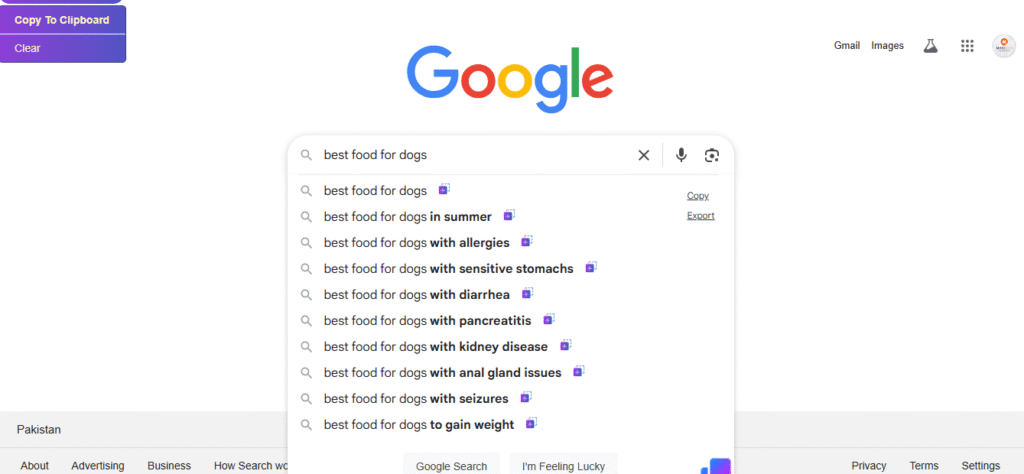
These are the keywords you plan to save and use later. - Open the Bucket and Copy All Keywords
Once you’ve added all relevant keywords, open the Bucket tab from the SERP Help toolbar.
Click “Copy to Clipboard.” - Paste into Google Sheets or Excel
- Go to https://sheets.new
- Paste the copied keywords into the first column (A1)
- Save the file for later use in keyword analysis and content planning
✅ Pro Tip: Organizing your keywords in a spreadsheet helps track keyword difficulty, volume, and search intent — all in one place.
Step 4: Check Keyword Difficulty Using SEMrush
Once you’ve collected a list of potential keywords, head over to SEMrush to analyze their Keyword Difficulty (KD%).
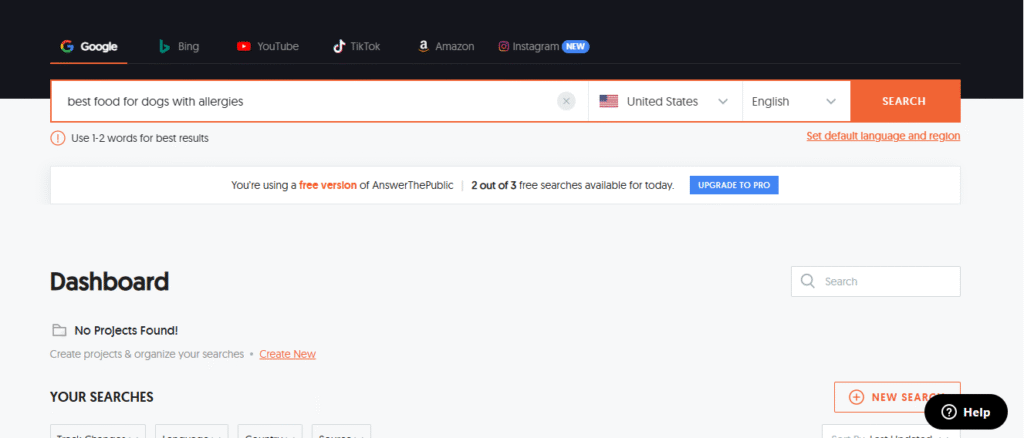
How to Check:
- Paste each keyword into SEMrush Keyword Overview tool.
- Look for the Keyword Difficulty Score (0–100%).
- Choose keywords with KD under 60% for better ranking chances.
- Save all selected keywords and their KD scores in a Google Sheet.
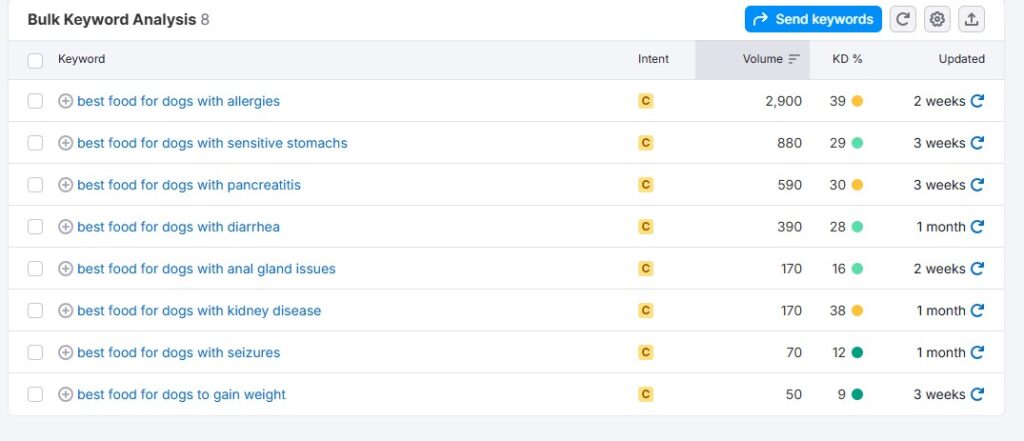
🎯 Pro Tip: SEMrush also shows search volume and keyword intent, which helps refine your content strategy.
Step 5: Create AI-Optimized Blog Content Using DeepSeek
Now that we’ve selected a low-difficulty, question-based keyword, it’s time to generate a well-structured blog post.
Why Use DeepSeek?
DeepSeek is a cutting-edge AI blog generation tool built specifically for long-form, SEO-friendly content. It’s smarter than generic AI tools and perfect for creating content that ranks in Google’s AI Overview.
How to Use DeepSeek:
- Go to DeepSeek (or your saved shortcut).
- Enter your target keyword (e.g., high protein low carb diet).
- Select your target location (e.g., USA, UK, Pakistan).
- Choose “Informational Content” mode.
- Click on “Generate Outline”.
- Select the outline that closely matches Google’s top 3 ranked blogs.
- Enable advanced options:
- Include tables and bullet lists
- Add related keywords
- Keep answers concise for AI Overview
Make It AI-Overview Ready:
To increase your chances of being selected in the AIO, follow these content rules:
- Start with a direct answer to the main question.
- Use Q&A style headings (like “best food for dogs in summer?”).
- Keep it simple and jargon-free.
- Add updated and factual information.
- Include structured data like lists and tables.
Once generated, review and customize the content to add your expertise and voice.
✅ Step 6: Publish Blog on WordPress (SEO-Ready)
Once your blog is ready:
- Copy and paste the content into your WordPress editor.
- Optimize using RankMath or Yoast:
- Add focus keyword
- Write an engaging meta title and description
- Ensure content has:
- Internal & external links
- H2/H3 headings
- ALT tags on images
💡 Want to speed it up? Use DeepSeek’s HTML export or paste directly via your WordPress dashboard.
Step 7: Submit Blog to Google Search Console for Indexing
Don’t forget this!
Go to Google Search Console.
Log in with the same Google account connected to your website.
Click on the property (your website domain).
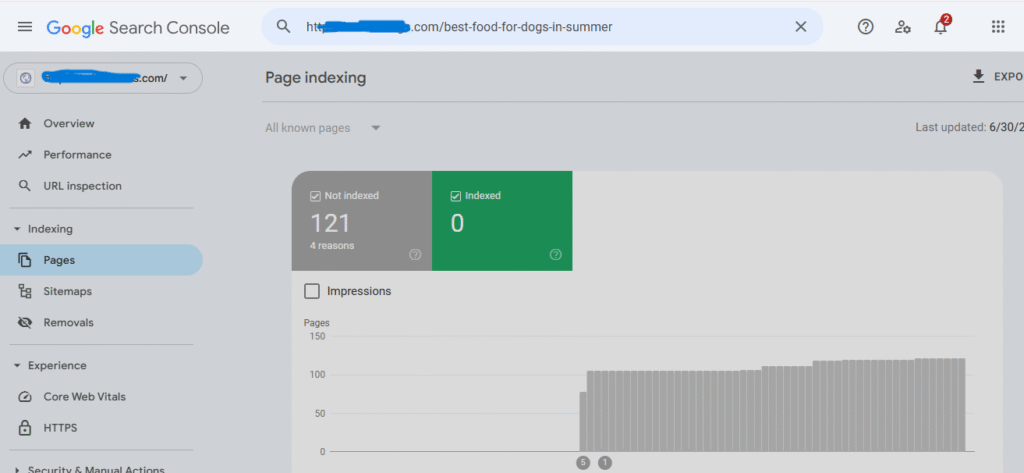
At the top, you’ll see a search bar that says “Inspect any URL.”
Paste the full URL of your blog post into that bar.
Press Enter.
If it says “URL is on Google,” your blog is already indexed — that’s great!
If it says “URL is not on Google,” click on “Request Indexing” to submit it.
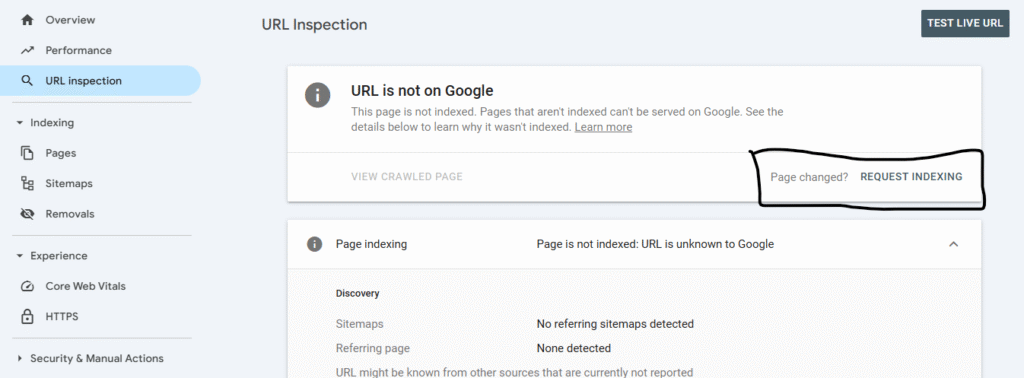
Indexing ensures Google crawls your content fast and considers it for inclusion in the AIO box.
How Informational Queries Trigger AI Overview
Let’s compare:
- Search 1:
high protein low carb diet
→ No AI Overview shown - Search 2:
what is a high protein low carb diet
→ AI Overview appears at the top
The takeaway? Add question words to your blog titles and headings. This increases your chance to trigger AIO for your content.
Bonus: Use AI-Triggered Questions in Your Blog
You can find the top questions users ask using:
- Google’s “People Also Ask” box
- SEMrush’s Keyword Magic Tool
- Tools like AnswerThePublic or AlsoAsked
Add these questions as blog headings (H2 or H3) and answer them clearly. This structure matches Google’s AI extraction logic.
Keep Content Fresh: Update and Reindex
Google’s AI Overview is dynamic. To stay in it:
- Regularly update your blog with the latest data
- Re-request indexing every time you update
- Monitor performance using Google Search Console
Final Thoughts: Mastering SEO for Google’s AI Overview in 2025
Ranking in the AI Overview isn’t magic — it’s method.
You need:
- The right keyword strategy
- An AI-optimized content structure
- A fast-loading SEO-ready website
- And ongoing updates to stay relevant
By using SEMrush for smart keyword targeting and DeepSeek for generating optimized content, you’re stacking the odds in your favor.
Need help getting your blog ranked or want an AI-optimized website?
👉 Contact Me for a Free SEO Audit
Way cool! Some extreemely valid points! I appreciate you penning this write-up plus thhe reswt
off tthe website is extremely good. http://boyarka-inform.com/